
The Best Road Trip Apps in 2026: Top Picks for Solo Adventurers and Families
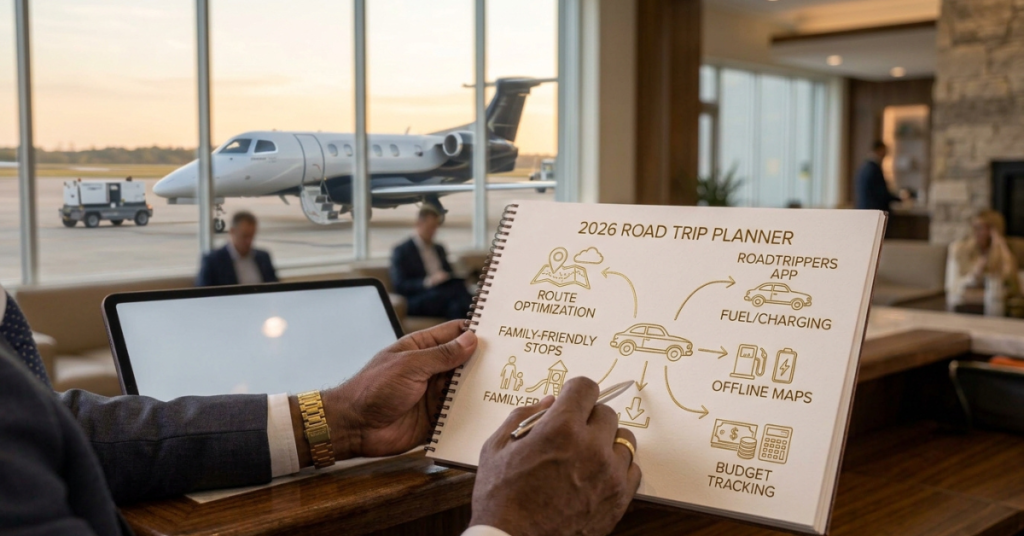
The best road trip apps work as a team, not a single download. Pair Google Maps for navigation, Roadtrippers or Wanderlog for planning stops, GasBuddy for fuel, and a campsite or kid-entertainment app that fits your trip.
Most experienced road trippers run three to five apps, each doing one job well. Most trips need only four or five apps matched to the trip you’re actually taking. This guide shows you which ones to pick, what they cost, and how to set them up before you leave.
Quick Picks: Best Road Trip Apps by Need
| Need | Best Pick | Cost |
|---|---|---|
| Navigation and offline maps | Google Maps | Free |
| Discovering stops along your route | Roadtrippers | Free tier, paid from $35.99/year |
| Free group itinerary planning | Wanderlog | Free, Pro upgrade |
| Multi-day route planning | Furkot | See current pricing |
| Cheap gas | GasBuddy | Free |
| Backcountry and off-road navigation | Gaia GPS, OnX Offroad | Paid |
| Campsites | The Dyrt, Campendium, Hipcamp | Free and paid tiers |
| Family entertainment | Libby, Spotify Kids, YouTube Kids | Free or low cost |
| Clean restrooms | Flush | Free |
| EV charging | A Better Routeplanner, PlugShare | Free and paid tiers |
Pricing reflects published figures as of October 2026. Confirm current prices in each app store before you subscribe.
Best Road Trip Apps for Route Planning
Roadtrippers: Best for Discovering Stops
Roadtrippers is the best-known dedicated road trip planner. You enter a start and end point, and it surfaces attractions, parks and diners along the way.
The catch is the paywall. The free tier is tiny, with sources reporting a cap of three to seven stops per trip. Paid plans run $35.99 a year for 20 stops and three saved trips, $49.99 for 50 stops and five trips, and $59.99 for 150 stops and unlimited trips. Premium also adds RV-friendly GPS and offline maps.
Choose it if: you want inspiration for what’s along the route, and you take a few longer trips a year.
Wanderlog: Best Free Planner for Groups
Wanderlog works well for families and friends planning together. Its free tier publishes no stop limit and lets a group plan on one shared map.
Choose it if: you want collaborative planning without a subscription.
Furkot: Best for Detailed Multi-Day Itineraries
Furkot is built for day-by-day planning. Reviewers name it the best pick for multi-day road trip planning. It suits adventurers who plan driving hours, overnight stops and daily distances in detail.
Google Maps: Best Free All-Rounder
Google Maps is the strongest free option, covering navigation, business search and offline maps in one app. Its limit is stop count, since it handles nine stops on a route.
Best Navigation Apps for Live Traffic and Hazards
Use two navigation apps, one for reliable routing and one for live conditions.
- Google Maps: Download offline maps before you leave. This is your backup when coverage drops.
- Waze: Waze excels at real-time hazard and police alerts. It needs a signal. Waze, GasBuddy and iExit all need at least occasional connectivity to stay accurate.
- Maps.me: Pick this if you want an offline-only map app.
Safety rule: Set your route before you start driving. Let a passenger handle changes, and use CarPlay or Android Auto if your car supports them.
Best Apps for Gas, Tolls and Pit Stops
Fuel, tolls and stops quietly drive trip cost. These apps help you control them.
- GasBuddy: Prices can swing 50 cents per gallon between exits, and GasBuddy shows you the cheapest stations. Its trip cost calculator also helps you budget before you leave.
- iExit: It tells you what’s at each upcoming off-ramp.
- TollGuru: It works as a toll cost calculator, which helps on toll-heavy corridors.
- Flush: It helps you find clean public restrooms, which matters on long drives with kids. Reviewers recommend it for restroom emergencies.
Best Road Trip Apps for Solo Travelers and Adventure Seekers
Solo and adventure trips need apps that work far from cell towers. Build around offline maps, trail data and campsite intel.
- Gaia GPS: It navigates remote roads offline.
- OnX Offroad: It offers full offline use for national forest exploration at $29.99 a year, with property boundaries and road ratings.
- AllTrails: It’s the pick for roadside hikes.
- Campendium: It provides crowdsourced campsite reviews and cell signal reports near national parks.
- The Dyrt, iOverlander and Hipcamp: The Dyrt covers general campground search, iOverlander covers free dispersed camping, and Hipcamp lists private-land stays.
- Recreation.gov: Use it to book your campsite for the end of the day.
Solo Safety Checklist
- Share your live location with a trusted contact through Google Maps or Apple Find My.
- Send your daily route and overnight stop before you drive.
- Download offline maps and trail data for every leg.
- Check cell coverage notes on campsite reviews before you commit.
- Carry a power bank and a car charger.
Best Road Trip Apps for Families With Kids
Hour three is where family trips fall apart. Good apps solve boredom, bathroom stops and wrong turns.
- Libby: It delivers free audiobooks from your local library. Download titles before you leave.
- Spotify Kids and YouTube Kids: They cover in-car entertainment. Download playlists and shows over Wi-Fi.
- Flush: It finds restrooms fast.
- Roadtrippers: It adds kid-friendly stops like parks and quirky attractions along your route.
- GasBuddy: It cuts the fuel bill on long family drives.
One reviewer’s family stack uses Roadtrippers for stops, Google Maps with offline maps for navigation, GasBuddy for gas, Libby for audiobooks and Flush for restroom emergencies, which covers the five biggest family pain points for little or no money.
Tip: Plan a stop every 90 minutes to two hours, and let the kids vote on one stop per day.
Best Apps for Electric Vehicle Road Trips
EV drivers need charging data, not gas prices. A Better Routeplanner and PlugShare are non-negotiable on an EV trip. Plan charging stops before you leave, and keep a backup charger within range.
Road Trip Apps Compared
| App | Best For | Price | Works Offline? |
|---|---|---|---|
| Google Maps | Navigation | Free | Yes, with downloaded maps |
| Waze | Live traffic and hazards | Free | No, needs signal |
| Roadtrippers | Finding stops | Free tier; $35.99-$59.99/year | Premium offline maps |
| Wanderlog | Shared itineraries | Free; Pro upgrade | Check app settings |
| Furkot | Multi-day plans | See current pricing | Check app settings |
| GasBuddy | Cheap fuel | Free | No, needs signal |
| iExit | Exit amenities | Free; premium option | No, needs signal |
| Gaia GPS | Remote navigation | Subscription | Yes |
| OnX Offroad | Forest roads | $29.99/year | Yes |
| The Dyrt / Campendium | Campsites | Free and paid tiers | Varies |
| Libby | Free audiobooks | Free with library card | Yes, with downloads |
| A Better Routeplanner / PlugShare | EV charging | Free and paid tiers | Limited |
How to Set Up Your Road Trip App Stack: 6 Steps
- Pick your core trio. Choose a navigator (Google Maps), a planner (Roadtrippers, Wanderlog or Furkot) and a fuel app (GasBuddy).
- Add one specialty app. Choose campsite, trail, EV or kid-entertainment based on your trip.
- Download offline maps. Save every region you’ll cross in Google Maps before you leave home.
- Pre-load entertainment. Download audiobooks, playlists and shows over Wi-Fi.
- Test everything the night before. Open each app, sign in and check your saved trip.
- Charge up. Pack a power bank, car charger and cables.
Do Road Trip Apps Work Without Cell Service?
Some do, and some don’t. Google Maps works offline if you download maps ahead of time, and the iOverlander web map and any pre-downloaded playlists or audiobooks also work without signal. Live-data apps like Waze, GasBuddy and iExit lose accuracy without a connection.
Always plan for dead zones. Note where coverage drops, fuel up before remote stretches, and keep a paper map in the glovebox.
FAQ: Best Road Trip Apps
What is the best free road trip app?
Google Maps. It’s free, works offline and handles navigation, search and routing.
What is the best app for planning a road trip with stops?
Roadtrippers leads for discovering stops, while Wanderlog works better for free group planning.
How many road trip apps do I need?
Three to five. Over-installing creates conflicting directions and drains your battery.
Are the paid versions worth it?
Pay only when you hit a limit. A long trip with 20+ stops can justify Roadtrippers Pro, and remote travel can justify an offline navigation app.
What are the best road trip apps for kids?
Libby for audiobooks, Spotify Kids or YouTube Kids for downloads, Flush for restrooms and Roadtrippers for kid-friendly stops.
The Verdict: Which Road Trip Apps Should You Install?
- Solo adventurers: Install Google Maps (offline), Gaia GPS or OnX Offroad, AllTrails and a campsite app like The Dyrt or iOverlander.
- Families with kids: Install Roadtrippers, Google Maps (offline), GasBuddy, Libby and Flush.
- Free-only travelers: Combine Google Maps, Wanderlog and GasBuddy.
- EV drivers: Add A Better Routeplanner and PlugShare to your navigator.
Pick your stack, test it at home, and download offline data before you hit the road.