
Saudi Airlines Manage Booking: How to View, Change, and Check In Online
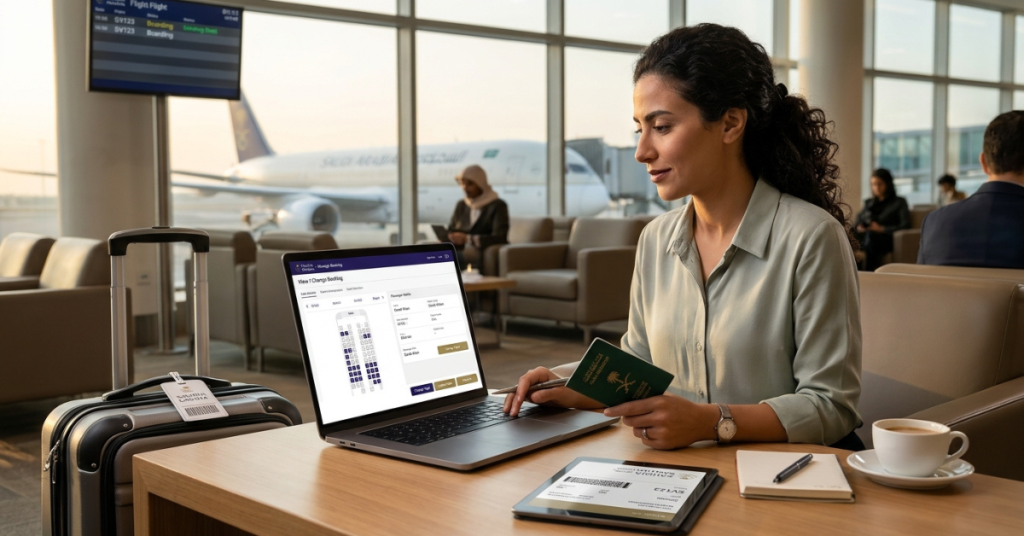
Quick answer: To use Saudi Airlines manage booking, go to the Saudia website or open the Saudia mobile app, choose Manage Booking, and enter your booking reference and last name. You can then view your trip, select seats, add baggage, request changes, and complete online check-in. Features and fees depend on your fare and how you booked, so check your fare conditions first.
Key takeaways
- Retrieve your trip with your booking reference (PNR) and last name.
- Use the Manage Booking page for seats, extra baggage, add-ons, and flight changes where your fare allows them.
- Online check-in typically opens up to 48 hours before departure on most routes, but confirm the window for your flight.
- Bookings made through a travel agent may need changes through that agent.
- Always rely on the official Saudia website and app for current rules and fees.
What Is Saudia Manage Booking?
Saudia is the national airline of Saudi Arabia, also known as Saudi Arabian Airlines. Its Manage Booking tool lets passengers handle their trip online without calling or visiting an office.
The tool is available on the Saudia website and in the mobile app. Both let you retrieve a booking made on Saudia’s own channels, and the app can also store boarding passes offline.
What You Can Do in Manage Booking
Available options depend on your fare type, route, and booking channel.
| Task | Typically Available | Notes |
|---|---|---|
| View itinerary and booking status | Yes | Confirm names, dates, and times |
| Select or change seats | Yes | Fees may apply for some seats |
| Add or prepay extra baggage | Yes | Often cheaper than airport rates |
| Change flight date or route | Depends on fare | Fees and fare differences may apply |
| Online check-in | Yes | Check the window for your route |
| Add-ons (WiFi, airport transfers, car rental, insurance) | Often | Offers vary |
| Request special services | Often | Examples include meals or assistance |
| Cabin upgrade offers | Sometimes | Availability varies |
Fare conditions in your confirmation email set the rules for changes and refunds, so read them before you edit anything.
How to Use Saudi Airlines Manage Booking (Step by Step)
- Gather your details. Find your booking reference (also called a PNR) and the passenger’s last name as it appears on the ticket.
- Open the official channel. Visit the Saudia website or open the Saudia app.
- Choose Manage Booking. Look for the Manage Booking or My Trips option.
- Enter your reference and last name. Retrieve the trip.
- Review the itinerary. Check passenger names, flight numbers, dates, and times.
- Pick your action. Choose seats, baggage, add-ons, changes, or check-in.
- Confirm and pay if needed. Review any fees, then complete the payment.
- Save your confirmation. Keep the updated email or screenshot for the airport.
Tip: If your booking does not appear, check the spelling of the reference and last name first. Then try again later or contact Saudia support.
Using the Saudia App to Manage Your Trip
The mobile app helps frequent travelers and group organizers manage multiple trips.
- Store passenger details to speed up future bookings.
- Retrieve bookings made outside the app.
- Check in and get a digital boarding pass.
- View boarding passes offline after check-in.
- Manage AlFursan loyalty account details, including miles and flight history.
Download the app only from the official Apple App Store or Google Play Store.
Saudia Online Check-In: When It Opens
Saudia has offered online check-in earlier than 24 hours before departure on many routes. Public information has described a window of up to 48 hours for bookings made through its electronic channels, with different timing on some routes, including flights to the United States.
The airline also sets a cutoff before departure. Because these windows can change, confirm the exact check-in times for your flight in your booking confirmation or on the Saudia website.
- Check in early to choose better seats.
- Download your boarding pass before you leave for the airport.
- Arrive at the airport early for document checks and baggage drop.
Changing or Canceling a Saudia Booking
You can request changes through Manage Booking when your fare allows them.
- Check your fare rules. Review change and cancellation terms in your confirmation.
- Open Manage Booking. Retrieve your trip.
- Select the change option. Choose new dates or flights.
- Review costs. Compare any fare difference and fees.
- Confirm the change. Save the updated itinerary.
Flexible fares generally offer easier changes than restricted economy fares. Some changes, such as passenger name corrections, may need to go through customer support.
Special Guide for Umrah and Hajj Pilgrims
Pilgrims often travel on tight schedules with group packages. Plan ahead to avoid problems.
- Match your documents. Names on your booking must match your passport.
- Check visa requirements. Umrah and Hajj travel follows Saudi government rules, so use official channels.
- Confirm package details. If you booked through a licensed agent, ask whether the agent controls changes to your booking.
- Plan baggage carefully. Check allowances, and ask about Zamzam water rules before you travel.
- Reconfirm dates. Hajj and Umrah schedules follow set periods, so verify your flights well ahead.
- Travel in a group. Keep copies of the group itinerary and booking references.
Always check current guidance from the Saudi Ministry of Hajj and Umrah and the airline before you travel.
Tips for Overseas Workers and Expats
- Check residency documents. Confirm that your residency permit and any re-entry permission are valid before you fly.
- Verify baggage allowance. Allowances vary by fare, route, and cabin class.
- Book flexible fares if plans may change. Work schedules often shift.
- Add extra baggage early. Prepaying online can save money.
- Use AlFursan. Join the loyalty program to earn miles on frequent routes.
- Keep contact details current. The airline uses them for schedule changes.
Tips for Travel Agents and Corporate Bookers
- Record the PNR clearly. Store the booking reference and ticket numbers in your system.
- Confirm who owns the booking. Bookings from agencies often need changes through the agency channel.
- Check fare conditions before you promise changes. Rules differ by fare.
- Share itineraries early. Send passengers their confirmation and check-in instructions.
- Monitor schedule changes. Update travelers quickly when the airline alters a flight.
Common Problems and Quick Fixes
| Problem | Quick Fix |
|---|---|
| Booking not found | Check the reference and last name, then try again |
| Cannot change the flight | Review fare rules or contact the booking channel |
| Seat selection unavailable | Check whether the fare or check-in stage limits it |
| Payment fails | Try another card or payment method, or contact your bank |
| Check-in not available | Confirm the check-in window and your travel documents |
| Name error on ticket | Contact Saudia support or your agent immediately |
How to Contact Saudia
Use the official Saudia website to find current contact options, including phone, email, and live chat where available. Avoid third-party numbers that appear in search ads. Check that any website address is the official Saudia domain before you share personal or payment details.
Frequently Asked Questions
How do I manage my Saudia booking online?
Visit the Saudia website or open the app, choose Manage Booking, and enter your booking reference and last name.
What do I need to retrieve my booking?
You need the booking reference (PNR) and the passenger’s last name. Some options may also ask for the ticket number.
Can I change my flight online?
Often yes, if your fare allows changes. Fees and fare differences may apply.
Can I add baggage after I book?
Yes, in most cases. Manage Booking lets you purchase extra baggage, and online prices are often lower than airport prices.
When can I check in online?
Online check-in typically opens up to 48 hours before departure on many routes, with different timing on some. Confirm your flight’s exact window.
Can I manage a booking made through a travel agent?
Sometimes. If you cannot retrieve it or change it online, contact the agent who issued the ticket.
Final Thoughts
Saudi Airlines manage booking puts seats, baggage, changes, and check-in in one place. Keep your booking reference and last name ready, read your fare rules first, and use only official Saudia channels.
With a few minutes of preparation, you can handle most trip changes yourself and arrive at the airport with confidence.